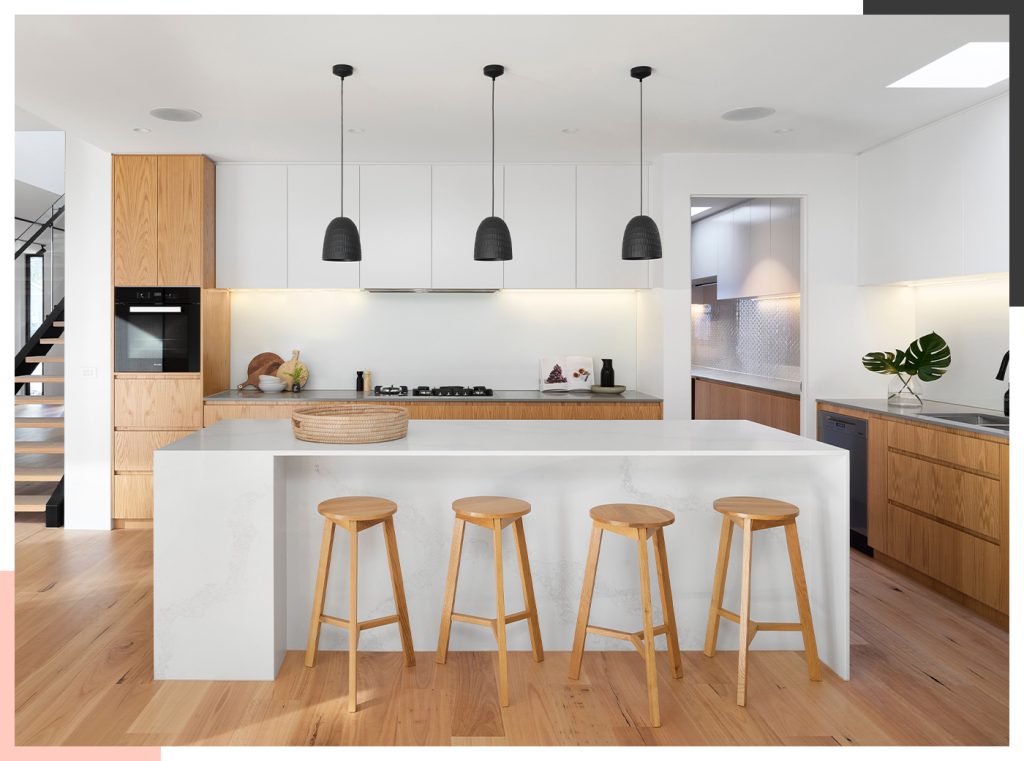
Are you dreaming of transforming your kitchen into a culinary masterpiece? Choosing the right design software can be the key to unlocking your kitchen’s full potential.
Imagine having the power to visualize every detail of your dream kitchen before a single cabinet is installed. With the best kitchen design software, you can bring your vision to life, saving time, money, and stress. But with so many options out there, how do you know which one will truly meet your needs?
Don’t worry; we’ve got you covered. Dive into our guide to discover the top tools that will make your kitchen renovation a breeze. Let us help you find the perfect software to turn your ideas into reality, ensuring that every meal is prepared in a space that’s as functional as it is beautiful. Keep reading to discover the best software options tailored just for you.
Factors To Consider In Kitchen Design Software
Choosing the best kitchen design software involves more than just picking the first option you find online. It requires thoughtful consideration of various factors that ensure the software meets your specific needs. From ease of use to cost, each aspect plays a crucial role in determining which software will help bring your dream kitchen to life. Let’s dive into the key factors you should consider when selecting kitchen design software.
User Interface
Imagine opening a software program and feeling instantly overwhelmed by complicated menus and buttons. The user interface should be intuitive and easy to navigate. Look for software that offers a clean layout and simple instructions. This will save you time and frustration, letting you focus on your design. Many users appreciate programs with drag-and-drop features that simplify the design process.
Features And Tools
What do you need the software to do for you? Consider whether it offers realistic 3D rendering, customization options, and a comprehensive library of kitchen elements. The best software provides versatile tools to create detailed designs. Some might even offer virtual reality capabilities, allowing you to walk through your kitchen design virtually. Wouldn’t that be exciting?
Compatibility
Ensure the software is compatible with your computer and operating system. It should work seamlessly, whether you use Windows, Mac, or Linux. Additionally, check if the software integrates with other programs you use, like CAD tools or home design apps. This compatibility enhances productivity and prevents technical hiccups.
Cost And Licensing
Is the software within your budget? Consider the upfront cost and any subscription fees. Some software offers free trials, allowing you to test their features before committing financially. Licensing terms are also vital; ensure you’re clear about how many devices you can install the software on. You want to make sure you’re getting good value for your investment.
Customer Support
Reliable customer support can be a lifesaver when you encounter issues or have questions. Look for software that offers robust support options, such as live chat, email, or phone support. Additionally, check if they provide tutorials, forums, or FAQs to assist you in troubleshooting common problems. You deserve to feel supported throughout your design journey.
As you consider these factors, remember that the right kitchen design software can transform your ideas into reality. What features matter most to you in a design tool? The answer might surprise you!

Credit: www.bigsteelbox.com
Top Picks For Kitchen Design Software
Creating your dream kitchen starts with the right design software. The right tools can transform your ideas into a stunning reality. With many options available, choosing the best software can be daunting. In this section, we highlight top picks for kitchen design software. Each offers unique features to suit different needs and budgets.
1. Sketchup
SketchUp is popular for its user-friendly interface. It offers both free and paid versions. You can easily create detailed 3D models. Its large library of pre-designed components makes designing easy. SketchUp is great for beginners and professionals alike.
2. 2020 Design
2020 Design is tailored for kitchen and bath design. It offers advanced features for detailed plans. Users can access a vast catalog of real products. This helps in visualizing the kitchen with actual items. The software is ideal for professional designers.
3. Ikea Kitchen Planner
IKEA Kitchen Planner is perfect for DIY enthusiasts. It’s free and easy to use. You can design a kitchen with IKEA products. It’s great for budget-friendly planning. The tool helps visualize how different items fit in your space.
4. Home Designer Suite
Home Designer Suite offers a comprehensive design experience. It’s perfect for those who want more control. The software includes advanced tools for customizing layouts. You can view designs in 3D and 2D modes. This makes it suitable for both novice and experienced users.
5. Chief Architect
Chief Architect is a professional-grade software. It’s known for its high-quality renderings. The tool provides precision and detail in every design. It’s perfect for those who need comprehensive design capabilities. Chief Architect is often used by architects and designers.
Sketchup
SketchUp stands out in the realm of kitchen design software. It is known for its intuitive interface and robust 3D modeling capabilities. Designers and architects often rely on SketchUp for its versatility. This software allows users to visualize spaces with precision.
Pros And Cons
SketchUp offers several advantages in kitchen design. It provides a user-friendly experience for beginners. The software supports a wide range of plugins. These plugins enhance the design process greatly. SketchUp also boasts a large library of models. This library helps users find ready-made kitchen elements.
Despite its benefits, SketchUp has some limitations. Advanced features require a subscription. This can be a drawback for budget-conscious users. High-quality renderings may need additional software. Some users find the learning curve steep. Especially for those new to 3D modeling.
Best Uses
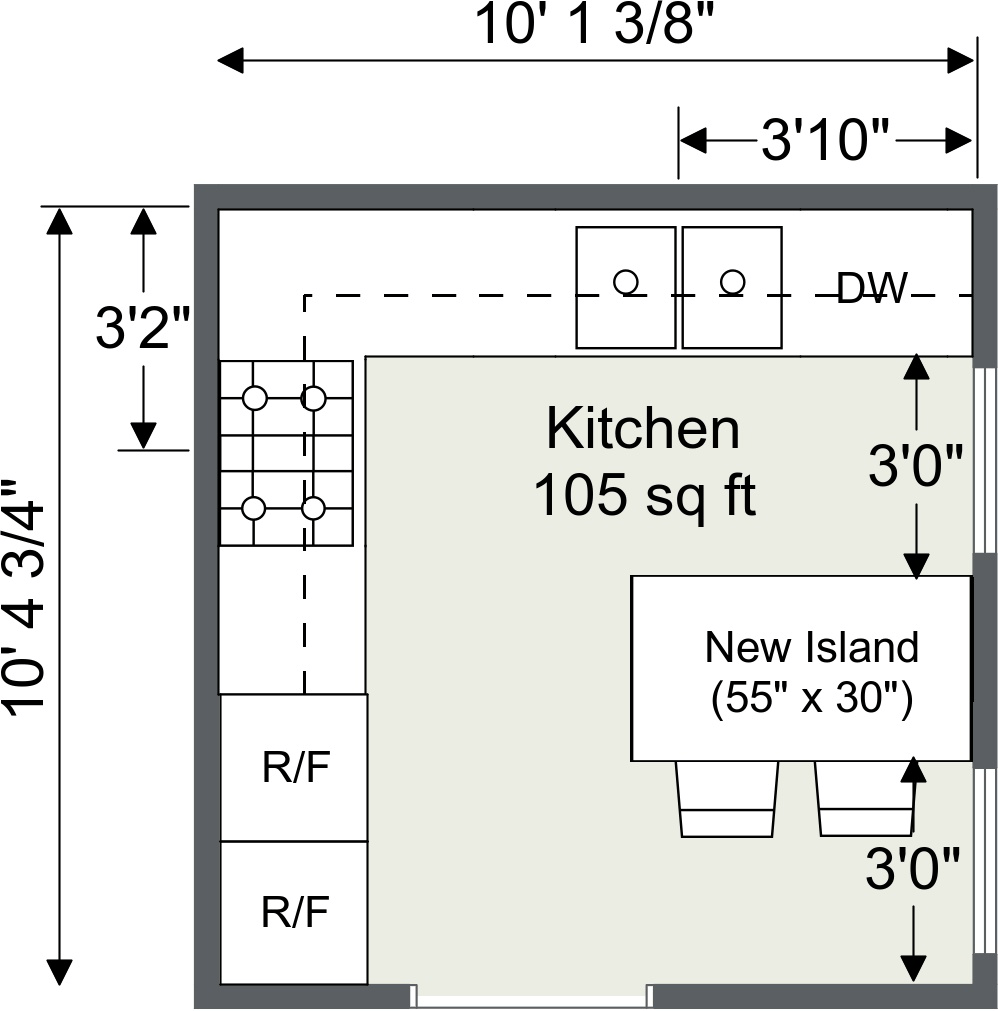
SketchUp shines in creating detailed kitchen layouts. It is ideal for visualizing cabinet arrangements. Users can experiment with different design styles. SketchUp also excels in material selection. It lets designers apply realistic textures to surfaces. This helps clients picture the final look.
Another great use is space planning. SketchUp assists in optimizing kitchen layouts. Designers can easily adjust dimensions and placements. This ensures practical and efficient use of space. Overall, SketchUp is a valuable tool for both amateurs and professionals.
Credit: www.roomsketcher.com
Chief Architect
Chief Architect offers powerful tools for kitchen design, blending ease of use with advanced features. Its intuitive interface helps users create detailed layouts and visualize spaces effectively. Perfect for professionals and DIY enthusiasts, it ensures precise planning and stunning results.
Designing a kitchen that blends functionality with style can be a daunting task. This is where Chief Architect, a leading kitchen design software, steps in to simplify the process. Known for its comprehensive features and ease of use, Chief Architect is a favorite among both professionals and home renovators. It offers a perfect mix of advanced tools and user-friendly interfaces that allow you to create stunning kitchen layouts without a steep learning curve.Pros And Cons
One of the major advantages of Chief Architect is its realistic 3D rendering capabilities. You can visualize your kitchen designs with intricate details, from cabinet textures to lighting effects. This helps in making informed decisions and avoiding costly mistakes. On the downside, Chief Architect can be a bit overwhelming for beginners due to its plethora of features. While it offers tutorials, the learning curve might seem steep if you’re entirely new to design software. Furthermore, the cost might be a barrier for those on a tight budget.Best Uses
Chief Architect shines when used for detailed kitchen renovations and new constructions. Its extensive library of customizable objects allows you to experiment with various design elements. Whether you’re planning a modern kitchen with sleek lines or a cozy, rustic space, the software provides the tools you need. Professionals love using Chief Architect for client presentations. The ability to show clients realistic 3D models of proposed designs can be a game-changer. Imagine presenting a fully rendered kitchen design to a client and seeing their excitement as they virtually walk through the space. Have you ever tried using design software for your kitchen renovation? What features would you find most valuable?2020 Design
2020 Design stands out as a top choice for kitchen design software. It offers user-friendly tools to create detailed kitchen layouts. Designers find it helpful for visualizing spaces and planning efficiently.
Designing a kitchen can be both exciting and daunting, but having the right software can make all the difference. 2020 Design is a powerful tool that helps you visualize your kitchen plans with precision and creativity. It’s popular among both professional designers and homeowners looking to transform their space. The software offers a range of features tailored for kitchen design, enabling detailed layouts, realistic renderings, and comprehensive planning.Pros And Cons
Pros: 2020 Design is renowned for its detailed 3D visualization capabilities. You can see how your kitchen will look before making any physical changes. The software also boasts a vast library of kitchen elements, from cabinets to appliances, helping you find the perfect fit for your style. Its precision tools ensure that everything fits perfectly within your space, minimizing costly mistakes. Cons: While 2020 Design offers robust features, it can be overwhelming for beginners. The learning curve is steep, and mastering the software takes time. Additionally, it requires a high-performance computer to run smoothly, which might be a limitation for some users. The cost can also be a factor, as it tends to be on the pricier side compared to simpler design tools.Best Uses
2020 Design excels in creating detailed kitchen plans for both new builds and renovations. It’s perfect for planning layouts in small spaces where every inch counts. The software’s ability to produce realistic renderings is a boon for presentations, whether you’re pitching to a client or convincing your family about your design choices. For DIY enthusiasts, it can help refine your ideas and ensure you’re on the right track before diving into the physical work. Have you ever tried visualizing your kitchen ideas on paper, only to find they don’t translate well into reality? With 2020 Design, you can see your vision come to life in 3D, making adjustments until everything is just right. Whether you’re a seasoned designer or a passionate homeowner, this software can be your secret weapon in creating a stunning kitchen. How do you ensure your kitchen design truly reflects your style and needs? 2020 Design might be the key to getting it just right.Home Designer Suite
Home Designer Suite stands out as a top choice for kitchen design software. It offers user-friendly tools that make planning simple and effective. Even beginners can create beautiful kitchen layouts with ease.
The Home Designer Suite is a popular choice for kitchen design. It offers a comprehensive toolset for homeowners and designers. This software simplifies creating detailed kitchen layouts. Users can easily visualize spaces before actual remodeling.Pros And Cons
Home Designer Suite boasts many advantages. It provides a user-friendly interface, making it easy to learn. It offers a wide range of design tools. Users can customize cabinets, countertops, and appliances. This helps in creating realistic designs. The software also supports 3D rendering. This feature allows users to view designs from different angles. However, there are some drawbacks. The software can be resource-intensive on older computers. Some users might find it costly compared to other options.Best Uses
Home Designer Suite is ideal for DIY enthusiasts. It’s perfect for those planning kitchen renovations. Professional designers also benefit from its advanced features. The software is great for creating floor plans. It helps visualize lighting and color schemes effectively. Homeowners use it to experiment with different layouts. It aids in making informed design decisions. The software suits both beginners and experienced users.Roomsketcher
RoomSketcher stands out as a top choice for kitchen design software. It offers an intuitive interface for creating detailed floor plans. Users can easily visualize designs with 3D views, making it a favorite for both professionals and DIY enthusiasts.
If you’re considering revamping your kitchen, RoomSketcher might just become your new best friend. This software offers an intuitive platform that allows you to create detailed kitchen designs with ease. Whether you’re a homeowner dreaming up your ideal cooking space or a professional designer curating stunning layouts, RoomSketcher provides the tools you need.Pros And Cons
Pros: – User-Friendly Interface: RoomSketcher is known for its straightforward navigation. Even if you’re not tech-savvy, you’ll find it easy to understand and use. – Wide Range of Features: With options to add walls, furniture, and appliances, you can create a highly detailed kitchen layout. – Access Anywhere: Being a cloud-based software, RoomSketcher can be accessed from multiple devices, making it convenient to work on your designs on the go. Cons: – Limited Free Version: While RoomSketcher offers a free version, its features are limited. You might need to opt for a paid subscription to unlock advanced tools. – Learning Curve: Although the interface is user-friendly, mastering all the features might take some time. – Internet Dependency: Since it’s cloud-based, a stable internet connection is necessary for smooth operation.Best Uses
RoomSketcher is particularly beneficial for those looking to visualize their kitchen remodel before making any physical changes. You can experiment with different layouts, color schemes, and materials without any cost or mess. Professional designers can leverage RoomSketcher to present clients with realistic 3D visualizations, ensuring there’s alignment on the vision before any work begins. Imagine being able to show your contractor exactly what you want, down to the specific placement of each appliance and cabinet. Isn’t it reassuring to know that your dream kitchen is just a few clicks away? With RoomSketcher, you not only get to see your design ideas come to life but also avoid costly mistakes. Why not give it a try and see how it transforms your kitchen design experience?Free Alternatives
Designing a kitchen can be expensive. Free software offers great alternatives. They provide powerful tools without the cost. These options are user-friendly. They are perfect for beginners and experienced designers alike. Here are some top free software choices for kitchen design.
Sweet Home 3d
Sweet Home 3D is an open-source software. It offers a simple interface. Users can create detailed kitchen layouts. It allows for drag-and-drop furniture placement. The software supports 2D and 3D views. This helps visualize the kitchen design. The program works on multiple operating systems. It is available for Windows, Mac, and Linux. Users can import their own textures and objects. This adds personalization to the kitchen space.
Planner 5d
Planner 5D offers a realistic design experience. It provides both 2D and 3D modes. Users can switch easily between them. It includes a vast library of items. This helps in detailed kitchen planning. The software is cloud-based. Access it from anywhere with internet access. It supports mobile devices too. Users can share their designs with others. This feature enhances collaboration.
Roomstyler
Roomstyler is known for its user-friendly interface. It offers high-quality 3D images. This helps visualize the final kitchen design. The software is web-based. Users can access it without downloading. It includes a wide range of kitchen items. Choose from appliances to decor elements. The platform is easy for beginners. It also provides inspiration from other users’ designs. This enhances creativity.
Making The Right Choice
Choosing the ideal kitchen design software simplifies planning. Consider features like 3D visualization, user-friendly tools, and cost-effectiveness. Popular options include SketchUp, AutoCAD, and Chief Architect, each offering distinct advantages to suit different needs and preferences.
Choosing the best software for kitchen design can feel overwhelming with so many options available. It’s crucial to make the right choice that fits your needs and budget. Whether you’re redesigning your own kitchen or planning for a client, understanding the factors that can influence your decision will make the process smoother and more enjoyable.Budget Considerations
When deciding on kitchen design software, your budget plays a significant role. Some software options are free or offer basic features at no cost, perfect if you’re just dabbling in design. However, if you’re a professional needing advanced tools, investing in a premium version might be worth the cost. Think about how often you will use the software and what features are crucial for your projects.Project Complexity
The complexity of your project is another crucial factor. Are you working on a simple kitchen layout or a complex design requiring detailed renderings and customizable features? Basic software might suffice for straightforward projects, but intricate designs might demand more advanced tools. Consider the scale and scope of your project before settling on a software solution.Skill Level
Your skill level in design software can greatly influence your choice. If you’re a beginner, software with an intuitive interface and helpful tutorials will make the learning curve less steep. On the other hand, experienced designers might seek out software with more robust features that allow for creative freedom. Ask yourself: How comfortable are you with learning new technology? This will guide you to the right software fit. Making the right choice in kitchen design software is about balancing these factors. Reflect on your needs, project demands, and personal skills to ensure a satisfying design experience. What’s your next step in creating that dream kitchen?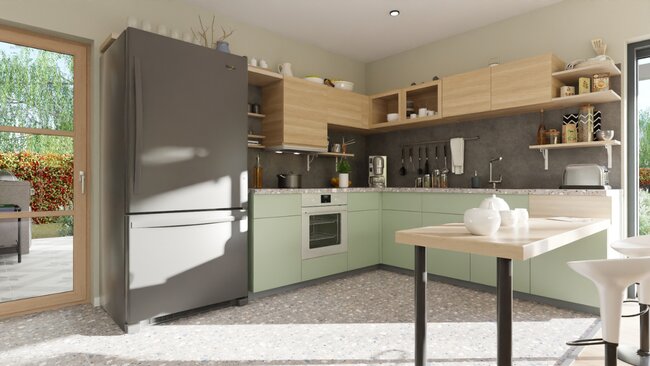
Credit: cedreo.com
Frequently Asked Questions
What Is The Best Kitchen Design Software?
SketchUp, AutoCAD, and 2020 Design are top kitchen design software options. They offer detailed 3D modeling, easy customization, and user-friendly interfaces. These tools help create accurate kitchen layouts, enhancing design efficiency. Each software suits different needs, ensuring flexibility in design projects.
Can Chatgpt Design My Kitchen?
ChatGPT can offer kitchen design ideas and guidance. It can’t create detailed blueprints or physical designs. Consult a professional designer for personalized plans. Use ChatGPT for inspiration and suggestions to enhance your kitchen space.
What Software Does Home Depot Use To Design Kitchens?
Home Depot uses 2020 Design Live software for kitchen design. This software offers 3D rendering and layout customization, helping customers visualize their kitchen projects effectively. It simplifies the design process with an extensive catalog of products and finishes. Customers can collaborate with designers to create their ideal kitchen space.
Is Autocad Good For Kitchen Design?
AutoCAD is excellent for kitchen design. It offers precision and flexibility for creating detailed layouts. Designers can visualize spaces, customize elements, and integrate appliances easily. Its 3D modeling features enhance visualization, making it a preferred choice for professionals.
Conclusion
Choosing the right kitchen design software depends on your needs. Consider features like user-friendliness and budget. Some software offers detailed 3D visualizations. Others focus on simple design tools. Balance your priorities before making a decision. Explore trial versions to find the best fit.
Remember, good software can transform your design process. It helps bring your vision to life. Dive into the options available. Find the one that matches your style and requirements. Your dream kitchen awaits, crafted with the right tools. Now, start designing and make your kitchen ideas a reality.